
This course presents the features of the Administration part related to the Lead Management and Deal Management modules.
- Enseignant: Alexandre POLINI

As a MYPRM administrator, you will need to create your collaborators' accounts, assign them user rights and invite them to access MyPRM.
- Enseignant: Alexandre POLINI

This module explains how to create teams, how to assign team roles to your employees and how to use them in the different modules of MyPRM.
- Enseignant: Alexandre POLINI

This module presents the settings related to the Activity module.
1 - Who will receive the emails with the daily report of the tasks.
2 - The list of subject(s) of internal and partner tasks.
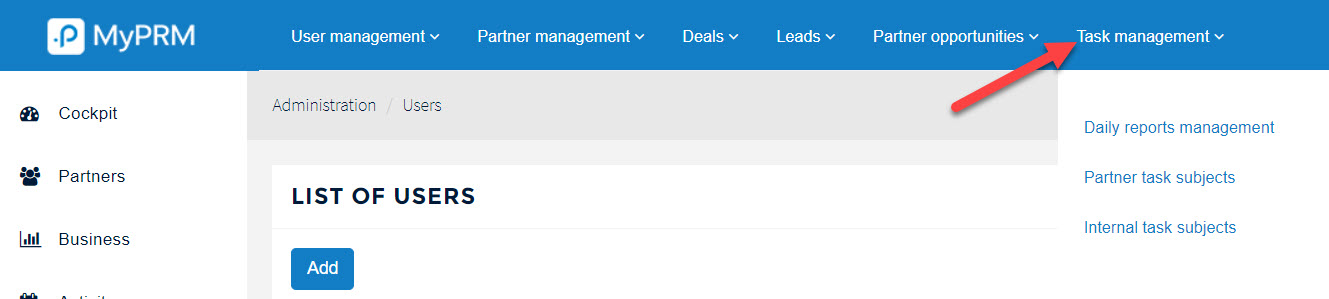
This setting is accessed via the menu Administration then Task Management:
- Enseignant: Alexandre POLINI

MyPRM allows you to set the Life Cycle of an Opportunity declared by a Channel Manager in the Back Office.
- Enseignant: Alexandre POLINI

This module describes how to set up these two lists, according to the specificities of your activity, in order to characterise more precisely your current and future partners as well as their end customers.
- Enseignant: Alexandre POLINI

This module allows you to understand how to properly use the notions of categories and tags in your management console, and the impact they will have on your Partner Directory.
- Enseignant: Alexandre POLINI

How to set up the typology / certification levels of your partners, and what are the impacts in the management of access permissions on the portal.
- Enseignant: Alexandre POLINI